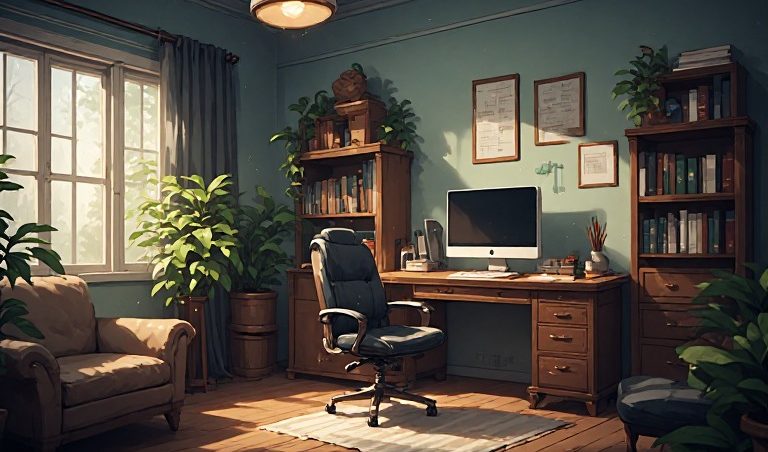
Small Office Home Office: How to Create a Productive Workspace at Home
Not everyone has a spare room waiting to become a luxurious home office.
Sometimes your “office” is a corner of the living room.
Sometimes it’s half a bedroom.
And sometimes it’s a desk squeezed into a space that previously held nothing more ambitious than a houseplant.
That’s perfectly fine.
A small office home office, often called a SOHO, can be an effective place to work, run an online business, study, or manage freelance projects without requiring a large dedicated office.
The secret isn’t having more space.
It’s making the space you have work harder.
In this guide, we’ll explore what a small office home office is, how to set one up, what equipment you may need, and how to create a comfortable and productive environment.
What Is a Small Office Home Office?
Small office home office, commonly abbreviated as SOHO, describes a small-scale office setup operated from a person’s home or another small workspace.
A SOHO setup may be used by:
- Freelancers
- Remote employees
- Entrepreneurs
- Consultants
- Online businesses
- Small business owners
- Creators
- Virtual assistants
- Remote professionals
The idea is simple:
Your home becomes your business base.
That doesn’t mean you need to turn your entire home into a corporate headquarters.
A small, well-organized workspace can be enough.
Why Are Small Home Offices So Popular?
The growth of remote work and online businesses has made home offices increasingly useful.
A small home office can provide:
- Convenience
- Reduced commuting
- Flexibility
- Lower overhead
- A dedicated work environment
- Easier access to business equipment
For an online entrepreneur, a laptop and a reliable internet connection may provide access to customers, suppliers, clients, and digital tools around the world.
That’s pretty remarkable when you think about it.
Your office doesn’t necessarily need a reception desk.
It might just need Wi-Fi.
Small Office Home Office Ideas
Creating a small workspace doesn’t require expensive furniture.
Start with the basics.
Choose the Right Location
Look for an area with:
- Good lighting
- Reliable internet access
- Minimal distractions
- Enough room for your equipment
- Convenient access to power outlets
You might use:
- A spare bedroom
- A living-room corner
- A basement area
- A dining-room section
- A converted closet
- A dedicated desk in a bedroom
The best location depends on your home and your work.
Use a Compact Desk
A large executive desk can quickly overwhelm a small room.
A compact desk may provide enough space for:
- Laptop
- Monitor
- Keyboard
- Mouse
- Notebook
- Headset
Consider the actual equipment you use before choosing the desk.
Measure your available space first.
This sounds obvious.
Yet somehow many people buy furniture first and discover afterward that the furniture has declared war on the room.
Measure twice.
Buy once.
Make Vertical Space Work
When floor space is limited, look upward.
Wall-mounted shelves can provide storage without taking up valuable floor area.
You can use vertical storage for:
- Books
- Documents
- Office supplies
- Equipment
- Decorative items
Pegboards and wall organizers can also help keep frequently used items accessible.
A small workspace doesn’t necessarily need more floor space.
It may simply need better organization.
Keep Your Desk Clear
A cluttered desk can make a small workspace feel even smaller.
Try keeping only frequently used items within arm’s reach.
Store less frequently used equipment elsewhere.
A simple approach is:
Use it daily? Keep it nearby.
Use it occasionally? Store it.
Never use it? Ask yourself why it’s still there.
Your desk doesn’t need to look like an archaeological dig.
Small Home Office Equipment
The equipment you need depends on your type of work.
A basic setup might include:
- Computer or laptop
- Monitor
- Keyboard
- Mouse
- Headset
- Webcam
- Desk
- Chair
- Lighting
- Internet connection
You don’t need to buy everything at once.
Start with what your work actually requires.
Choosing a Computer
Your computer is likely to be the center of a modern home office.
Consider:
- Processing performance
- Memory
- Storage
- Screen size
- Battery life
- Port availability
- Operating system
- Software compatibility
A person running spreadsheets and email may have very different requirements from someone editing high-resolution video.
Buy for your workload rather than someone else’s setup.
Adding a Second Monitor
A second monitor can be useful for multitasking.
For example, you could have:
Email on one screen
and:
Your project on another
This can reduce the need to constantly switch between windows.
However, a second monitor isn’t essential for everyone.
If your work doesn’t benefit from one, save the desk space and money.
Lighting for a Small Office
Good lighting can make your workspace more comfortable.
Natural light can be helpful when available.
You can also use a desk lamp or adjustable room lighting.
Avoid placing a bright light directly behind your monitor if it creates glare.
The goal isn’t to make your desk look like a movie studio.
It’s simply to create a comfortable environment for working.
Managing Cables
Small offices can quickly become tangled in cables.
You may have:
- Power cables
- Monitor cables
- USB cables
- Charging cables
- Ethernet cables
- Headset cables
Cable clips, sleeves, or simple cable-management systems can help.
Route cables away from walkways and keep power connections organized.
A tidy cable setup can make a surprisingly big difference.
Internet for a Home Office
Reliable internet is important for remote work and online businesses.
You may need it for:
- Video meetings
- Cloud applications
- File transfers
- Online customer service
- Ecommerce
- Website management
- Collaboration tools
If your work depends heavily on connectivity, consider having a backup option available where practical.
For example, some people maintain mobile data access as an emergency backup.
Creating a Small Office Home Office on a Budget
You don’t need to spend thousands of dollars.
Start with the essentials.
Basic Setup
Desk
Chair
Computer
Internet
Lighting
Then improve the workspace gradually.
You might later add:
- Monitor
- Storage
- Better microphone
- Docking station
- Webcam
- Ergonomic accessories
Build according to your needs.
Don’t confuse expensive equipment with productivity.
A $2,000 desk won’t magically make your inbox less annoying.
Small Office Organization Ideas
Organization becomes particularly important when space is limited.
Consider using:
Drawer Organizers
Keep small items separated.
Filing Systems
Store important documents logically.
Storage Boxes
Use labeled containers for occasional equipment.
Digital Organization
Keep your computer files organized as well.
Create folders for:
- Clients
- Projects
- Invoices
- Documents
- Marketing
- Business records
Digital clutter is still clutter.
It just hides inside a computer.
Designing a Home Office for Online Business
If you’re running an online business from home, your office may serve several purposes.
You might use it for:
- Website management
- Customer support
- Marketing
- Content creation
- Ecommerce
- Accounting
- Video calls
- Product development
Try to organize your workspace around your most frequent activities.
If you spend hours writing, prioritize a comfortable desk setup.
If you conduct video calls, think about your camera position and background.
If you manage inventory, consider how much physical storage you actually need.
Small Office Home Office for Virtual Assistants
Virtual assistants can often operate from relatively compact spaces.
A typical setup might include:
- Laptop or desktop
- Reliable internet
- Headset
- Webcam
- Second monitor
- Comfortable workspace
Because virtual assistant work is often digital, you may not need significant physical storage.
This makes the SOHO model particularly practical for remote administrative work.
Small Office Home Office for Freelancers
Freelancers can also benefit from a dedicated workspace.
Whether you’re a:
- Writer
- Designer
- Developer
- SEO specialist
- Consultant
- Video editor
- Marketing specialist
a dedicated workspace can help separate work from personal activities.
It can also make it easier to maintain consistent routines.
Creating a Professional Video Call Background
If you regularly participate in video meetings, your background matters.
It doesn’t need to look like a corporate boardroom.
A clean wall, bookshelf, plant, or simple workspace can be enough.
Keep distractions to a minimum.
Check what’s visible before joining a meeting.
You don’t want your laundry basket accidentally becoming the most memorable participant in the conference call.
Privacy and Security in a Home Office
Working from home also means thinking about information security.
Use:
- Strong passwords
- Multi-factor authentication where available
- Updated software
- Secure Wi-Fi
- Screen locks
- Appropriate backups
If you handle confidential client or company information, follow applicable security policies.
Don’t leave sensitive documents lying around where unauthorized people can access them.
Your home office may be small.
Your responsibility for protecting information isn’t.
Creating Boundaries When You Work From Home
One challenge of a home office is knowing when work ends.
If your office is ten feet away from your couch, it can be tempting to keep working.
Create boundaries where possible.
You might establish:
- Set working hours
- A morning routine
- Scheduled breaks
- A defined end-of-day routine
- Separate personal and work devices
When the workday ends, close the laptop.
Your inbox can survive until tomorrow.
Probably.
Small Office Home Office Productivity Tips
Start With Priorities
Identify the most important tasks for the day.
Reduce Distractions
Keep unnecessary notifications turned off.
Organize Your Workspace
Know where important items are.
Take Breaks
Short breaks can help you reset.
Use Task Lists
Write down what needs to get done.
Keep Communication Organized
Don’t allow messages to become scattered across dozens of platforms.
Review Your Week
At the end of the week, consider what worked and what didn’t.
Small Office Home Office and Business Expenses
Depending on where you live and your business structure, some home-office expenses may potentially qualify for business or tax treatment.
Rules vary by jurisdiction and individual circumstances.
Expenses might include certain:
- Office equipment
- Software
- Internet costs
- Furniture
- Supplies
However, don’t assume an expense is deductible simply because you use it for work.
Tax rules can be complicated.
If you’re running a business from home, consider speaking with a qualified tax professional about the rules that apply to you.
How to Make a Small Office Feel Bigger
You don’t necessarily need more square footage.
Try:
Keeping Surfaces Clear
Less clutter makes a room feel more spacious.
Using Vertical Storage
Shelves can reduce floor clutter.
Choosing Multi-Purpose Furniture
A desk with storage can serve two functions.
Keeping Equipment Organized
Put away devices you don’t use regularly.
Using Good Lighting
Appropriate lighting can make a space feel more open.
Maintaining a Simple Layout
Don’t overcrowd the room.
Common Small Home Office Mistakes
Buying Too Much Equipment
Start with what you actually need.
Ignoring Cable Management
A pile of cables can quickly create chaos.
Choosing Furniture Without Measuring
Measure your available space first.
Forgetting Ergonomics
Your workspace should be comfortable and appropriately arranged for your needs.
Working Without Boundaries
Home and work can easily blend together.
Creating a Beautiful Office That Isn’t Functional
Instagram doesn’t have to run your business.
Function comes first.
Turning a Small Home Office Into a Business Headquarters
Your office doesn’t have to be impressive to be productive.
A small desk can support:
A freelance business
An online store
A consulting business
A digital marketing operation
A virtual assistant service
A content business
An online education business
The size of your workspace doesn’t determine the size of your ambition.
Many businesses begin with surprisingly modest setups.
The Future of Small Office Home Offices
As remote work, freelancing, ecommerce, digital services, and online entrepreneurship continue to evolve, small home offices will remain useful to many people.
Technology allows individuals to perform tasks from home that once required dedicated commercial facilities.
A laptop can connect you with clients.
Cloud software can manage documents.
Video conferencing can connect teams.
Online payment systems can support transactions.
Digital marketing can help businesses reach customers.
The physical office may be small.
The potential audience can be enormous.
Final Thoughts
A small office home office doesn’t need to be expensive, enormous, or filled with gadgets.
It needs to work.
Start with the essentials.
Choose a practical location.
Keep your equipment organized.
Manage your cables.
Create a comfortable workspace.
Protect your information.
Set boundaries.
Then focus on the thing that actually matters:
Doing useful work.
Your office might occupy an entire room.
Or it might occupy six square feet beside the bookshelf.
Either way, it can become the place where ideas turn into projects, projects turn into businesses, and businesses turn into something much bigger.
You don’t need a skyscraper to build something meaningful.
Sometimes, all you need is a desk, a laptop, and a good idea.
Advios — Discover. Build. Grow.


1 Comment